LinkedIn is the one ad platform where you can say "show this only to finance heads at manufacturing companies with 200 to 1,000 employees" and mostly get what you asked for. That precision is why B2B teams use it, and also why so many waste money on it. This guide walks through every LinkedIn Ads targeting option that matters for B2B, when I use each one, the mistakes I see most often, and a sample setup you can adapt.
How LinkedIn Ads targeting works
LinkedIn builds its targeting from what members put on their profiles and what companies put on their Pages. LinkedIn says it passed 1 billion members in 2023, with about 277 million in Asia Pacific, so even narrow Indian B2B audiences usually exist in useful numbers.
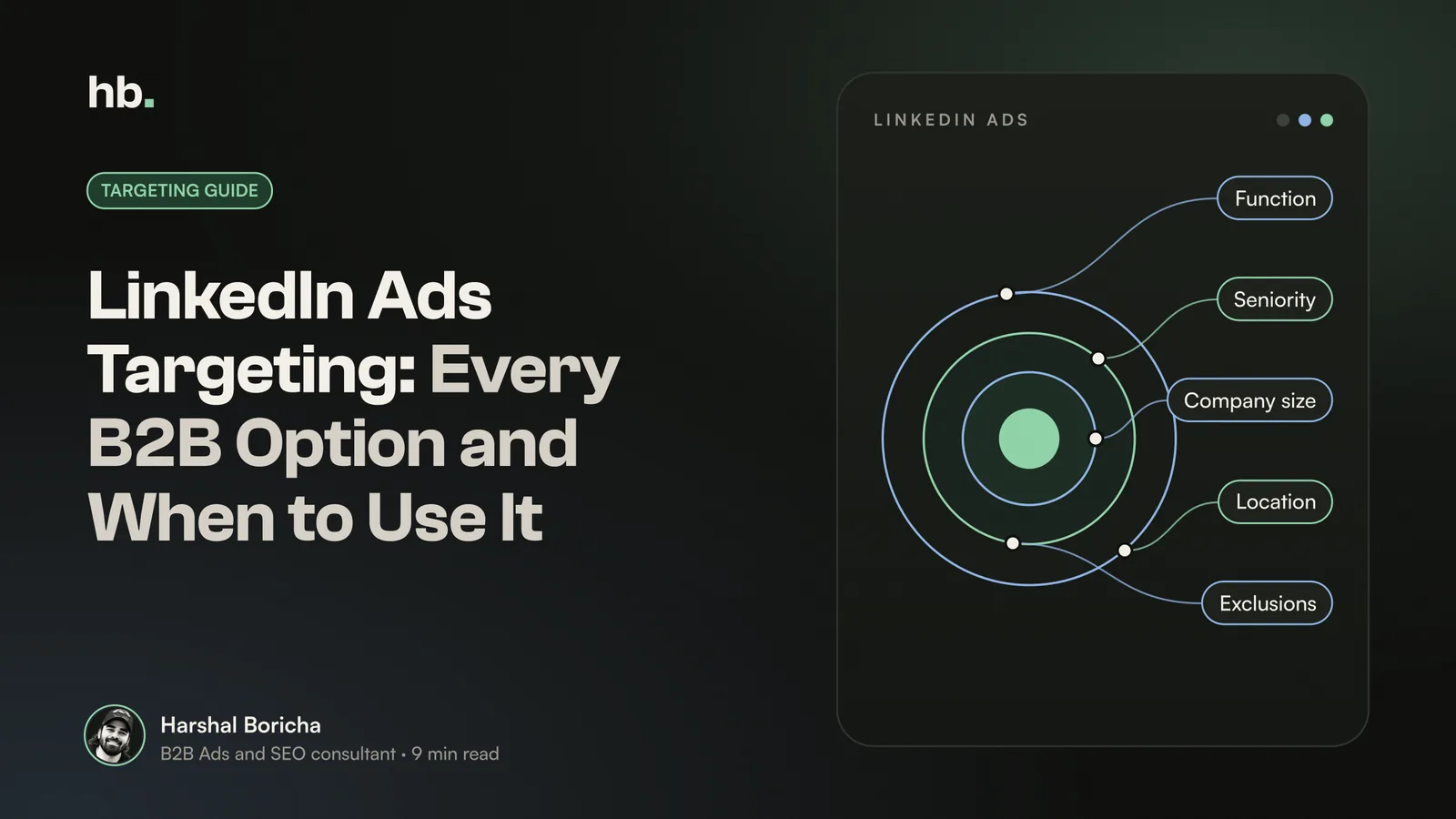
You combine targeting criteria with AND and OR logic. Criteria in the same group are OR (marketing OR sales). Separate groups are AND (marketing function AND director seniority AND company size 200 to 1,000). You can also exclude criteria, which is just as important as including them.
One rule sits over everything: audience size. LinkedIn needs at least 300 members to run a campaign and recommends more than 50,000 for single image and text ads, and more than 15,000 for message ads. HubSpot suggests aiming for roughly 50,000 to 500,000 people for most campaigns. Keep those numbers in mind as you read the options below.
LinkedIn Ads targeting options, one by one
HubSpot counts more than 20 audience attributes on LinkedIn. You do not need all of them. These are the ones that do real work in B2B.
Location
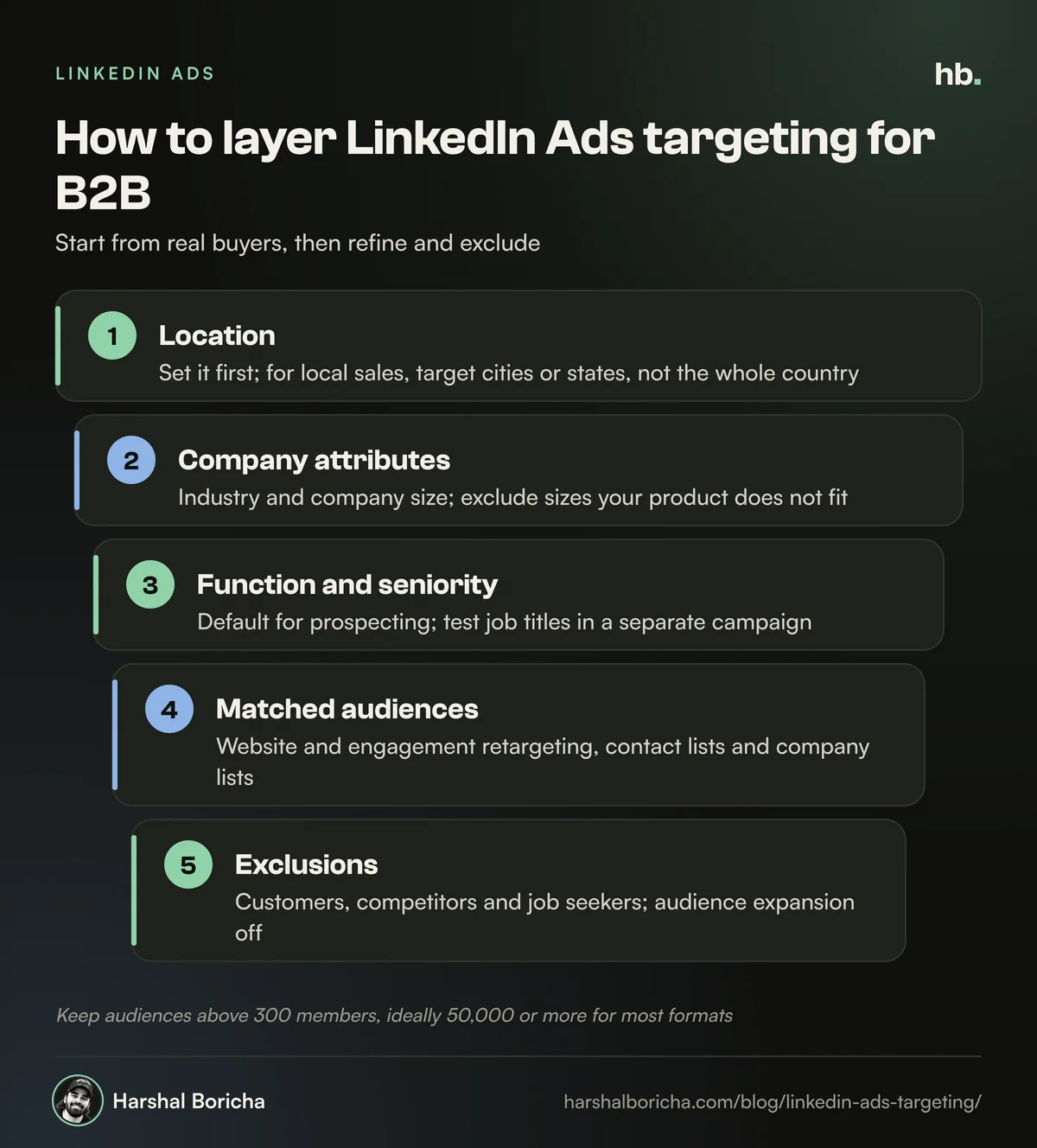
I always set location first. For Indian companies selling locally, I usually target by city or state rather than the whole country, because buying centres are concentrated. If you sell to GCC or US buyers from India, build a separate campaign per region so you can see costs and results for each.
Company attributes
These describe the organisation, not the person:
- Company industry: good for verticals with clear boundaries, such as logistics or pharmaceuticals. Weak for fuzzy categories, because companies choose their own industry on LinkedIn.
- Company size: one of the most useful filters in B2B. If your product does not fit companies under 50 employees, exclude them. HubSpot's expert sums it up well: there is no point showing ads to small companies you do not want.
- Company name: fine for a handful of accounts, but a company list upload is better for anything bigger (see matched audiences below).
Job experience
This is where most B2B targeting lives:
- Job function: a broad grouping such as Finance, Operations or Information Technology.
- Seniority: levels such as Manager, Director, VP, CXO and Owner.
- Job title: the specific title a member has typed in.
- Skills: skills listed on profiles. Useful for technical buyers, such as people listing "warehouse management" or "Kubernetes".
- Years of experience: a decent proxy for decision power when titles are messy.
Demographics, education and interests
I rarely use age. LinkedIn does not ask members their age and estimates it from things like graduation year, so MarTech recommends using years of experience instead, and I agree. Education targeting (schools, degrees, fields of study) has niche uses, such as reaching alumni of a specific institute. Interests and member groups can help top-of-funnel content campaigns, but they are looser signals, so I keep them for awareness, not lead generation.
Job titles vs job functions: which to choose
This is the most common question I get about LinkedIn targeting, and the honest answer is: usually function plus seniority, with titles as a second test.
Job titles are precise, but people write them in endless ways. In India especially, the same role might be "Head of Procurement", "AVP Sourcing", "Purchase Manager" or "GM, Supply Chain". Target only titles and you miss a large share of real buyers.
A Factors.ai analysis of US technology companies compared the two approaches across marketing, sales and customer success roles. Title targeting reached about 290,600 people in total, while function plus seniority reached about 392,700, roughly a third more. The exception was "Marketing Manager", where the title audience was bigger, a reminder that neither method is perfect.
| Approach | Strengths | Weaknesses | When I use it |
|---|---|---|---|
| Job function + seniority | Larger reach, catches unusual titles, cheaper to scale | Some people in adjacent roles slip in | Default for most prospecting |
| Job title | Very precise, easy to explain to sales | Misses title variations, smaller audiences, higher cost | Buyers with a consistent title, such as CFO or CISO |
| Skills + seniority | Finds practitioners regardless of title | Skills lists can be outdated | Technical products |
My approach: run function plus seniority in one campaign and a title-based audience in another, then compare cost per qualified lead after a few weeks. Let the data settle the argument.
Account based targeting with company lists
For many B2B companies, the buyer list is not "all finance directors". It is "these 400 companies". That is what company list targeting is for.
You upload a CSV of target accounts and LinkedIn matches them to company Pages. According to LinkedIn, you can upload up to 300,000 company names, and matching can take up to 48 hours. LinkedIn recommends including at least 1,000 companies. Each row can carry the company name, website, industry and country, and Search Engine Land notes that filling in more columns gives more accurate matching.
Then layer job function and seniority on top, so you reach the right people inside those accounts, not the interns. If your list is small, say 150 key accounts, the audience may fall well below LinkedIn's recommended sizes. That is fine for account based work, but expect higher costs per impression and plan to refresh creative more often.
Matched audiences: your own data
Matched audiences are usually the best-performing audiences in a B2B account because they start from people who already matter to you. The main types:
- Website retargeting: people who visited your site, tracked through the LinkedIn Insight Tag.
- Engagement retargeting: people who watched your videos, opened your lead forms, engaged with your Page or registered for your event.
- Contact lists: emails uploaded from your CRM or synced from a marketing platform. Search Engine Land notes LinkedIn recommends at least 10,000 emails for a contact list.
- Company lists: the account based lists described above.
Matched audiences are also how you exclude. I almost always exclude existing customers, competitors, and people who visited your careers page, so you are not paying to show sales ads to job seekers.
Predictive audiences and the end of lookalikes
LinkedIn retired lookalike audiences on 29 February 2024. Its replacement is predictive audiences, which use LinkedIn's AI to find people likely to convert, based on a source such as your conversion data, lead form submissions or a contact list. Search Engine Journal reports the source needs at least 300 people and each ad account can hold up to 30 predictive audiences. Test them in a separate campaign so their results do not blur into your core audience.
Common LinkedIn targeting mistakes
These are the LinkedIn Ads targeting mistakes I see most often when I audit B2B accounts.
Leaving audience expansion switched on
Audience expansion lets LinkedIn show your ads to people similar to your target. For B2B, "similar" often means someone in the wrong function or at the wrong company size. Switch it off for prospecting campaigns, and if you want LinkedIn to find new people, use a predictive audience instead.
Letting the Audience Network run unchecked
The LinkedIn Audience Network shows your ads on third-party apps and sites. It can be useful for reach, but MarTech warns many advertisers enable it without a block list. If you use it, review where your ads actually appear and exclude poor placements.
Targeting too narrowly
Stacking job title AND skill AND group AND company size can leave you with 3,000 people. Costs rise, frequency climbs and the campaign struggles to spend. HubSpot found that over-targeting limits reach, and recommends weekly ad refreshes for audiences under 300,000.
Targeting too broadly
The opposite mistake is just as common: "all managers in India". You get cheap clicks from people who will never buy. If a sales rep would not want to talk to most of the audience, it is too broad.
One giant campaign for everyone
If CFOs and IT heads sit in one campaign, you cannot tell who is converting, and one message has to fit both. Split audiences by persona so each gets relevant copy and you can read the results.
A sample LinkedIn targeting setup for B2B
Here is a hypothetical LinkedIn Ads targeting example. Say you sell warehouse automation software to mid-sized Indian logistics and manufacturing companies.
| Campaign | Targeting | Exclusions | Purpose |
|---|---|---|---|
| 1. Prospecting, function | India (key states), industries: logistics, manufacturing; size 200 to 5,000; function: Operations; seniority: Director, VP, CXO | Customers, competitors, audience expansion off | Main lead generation test |
| 2. Prospecting, titles | Same location and company filters; titles such as Head of Warehousing, Supply Chain Director, COO | Same as above | Compare against campaign 1 |
| 3. Target accounts | Company list of 1,000+ target accounts; function: Operations, Finance; seniority: Manager and above | Customers | Account based awareness and demand |
| 4. Retargeting | Website visitors (last 90 days), video viewers, lead form openers | Existing leads and customers | Convert warm interest |
Start campaigns 1 and 2 with similar budgets, judge them on qualified leads rather than clicks, and move money to the winner. Targeting choices also shape what you pay, which I cover in my guide to LinkedIn Ads cost in India.
How I build LinkedIn audiences for clients
I start with the sales team, not Campaign Manager. Who signed in the last year? What were their functions, seniority and company sizes? Which accounts are sales chasing now? That turns into a small set of audiences built around real buyers, with exclusions and tracking in place before a rupee is spent.
From there I connect lead forms and the Insight Tag to the CRM so we can see which audiences produce pipeline, not just leads, and add Meta retargeting where it makes sense. That is the core of how I run LinkedIn Ads for B2B. For the offers and funnels that sit on top of good targeting, read my guide to LinkedIn Ads for B2B lead generation, and if you are weighing channels, see Google Ads vs LinkedIn Ads for B2B.
You can see the wider range of what I do on the services page, and if any term here is unfamiliar, the B2B marketing glossary explains it. If you want me to look at your current targeting, book a call.
The short version
- LinkedIn Ads targeting works best when you start from real buyers: function, seniority and company size first, then refine.
- Function plus seniority usually reaches more of the right people than job titles alone, so test both in separate campaigns.
- Company lists and matched audiences are the backbone of account based B2B campaigns. Aim for 1,000+ accounts where you can.
- Keep audiences above 300 members, ideally 50,000 or more for most formats, and refresh ads often when they are small.
- Switch off audience expansion for prospecting, check the Audience Network, and always exclude customers, competitors and job seekers.
Frequently asked questions
What is the minimum audience size for LinkedIn ads?
LinkedIn needs at least 300 members in an audience before a campaign can run. That is only the floor. LinkedIn recommends more than 50,000 people for single image and text ads, and more than 15,000 for message ads. Smaller audiences can work for account based campaigns, but expect higher costs and plan to refresh your ads more often.
Should I target job titles or job functions on LinkedIn?
Job titles are precise but miss people with unusual titles, which is common in India where titles vary a lot between companies. Job function combined with seniority usually reaches a bigger, cleaner audience. I start with function and seniority, then use titles in a separate campaign when the buyer has a very specific, consistent title.
What are LinkedIn matched audiences?
Matched audiences let you target or exclude people using your own data. The main types are website retargeting through the LinkedIn Insight Tag, engagement retargeting from your ads and Page, contact lists uploaded from your CRM, and company lists for account based marketing. They are often the most efficient audiences in a B2B account because they start from people or companies you already know matter.
Should I turn off LinkedIn audience expansion?
For most B2B campaigns, yes, at least at the start. Audience expansion lets LinkedIn show your ads to people similar to your audience, which can drift away from your ideal customer. If you want LinkedIn to find new people, a predictive audience built from your own conversion or lead data is usually a more controlled option. Test it in a separate campaign.
Does LinkedIn still have lookalike audiences?
No. LinkedIn retired lookalike audiences on 29 February 2024. Existing lookalikes stopped refreshing and could no longer be edited. LinkedIn now points advertisers to predictive audiences, which use its AI and your conversion, lead form or contact data to find people likely to convert, and to audience expansion.
Sources
- Advertise to LinkedIn's Audience of Professionals (LinkedIn Marketing Solutions)
- Best Practices for Matched Audiences (LinkedIn Marketing Solutions)
- Company Targeting for Account-Based Marketing (LinkedIn Marketing Solutions)
- How to Advertise on LinkedIn (HubSpot)
- 5 Things We've Learned After a Year With LinkedIn Ads (HubSpot)
- LinkedIn matched audiences: How to get started (Search Engine Land)
- 5 common LinkedIn Ads mistakes and how to fix them (MarTech)
- LinkedIn Retires Lookalike Audiences, Urges Shift To New Targeting (Search Engine Journal)

B2B Ads and SEO consultant in Mumbai. Nine years in performance marketing, working only with B2B teams. More about me.
Want help with LinkedIn Ads?
LinkedIn Ads consultant for B2B teams. Account-based targeting, lead gen forms and Meta retargeting that turn the right companies into qualified pipeline.