When a B2B company asks me to look at their account, I use the same Google Ads audit checklist every time, and I run it in the same order. The order matters more than the list. Most audits I see from others jump straight to keywords and ad copy, then make confident recommendations on top of conversion data that is counting students, vendors and bots as leads.
This post is that checklist: 30 checks across six areas, with what good looks like for each. You can run it on your own account in a day. Where I mention money, the examples are in rupees and are illustrations, not benchmarks.
Why order matters in a Google Ads audit checklist
Here is the short answer. Audit in this order:
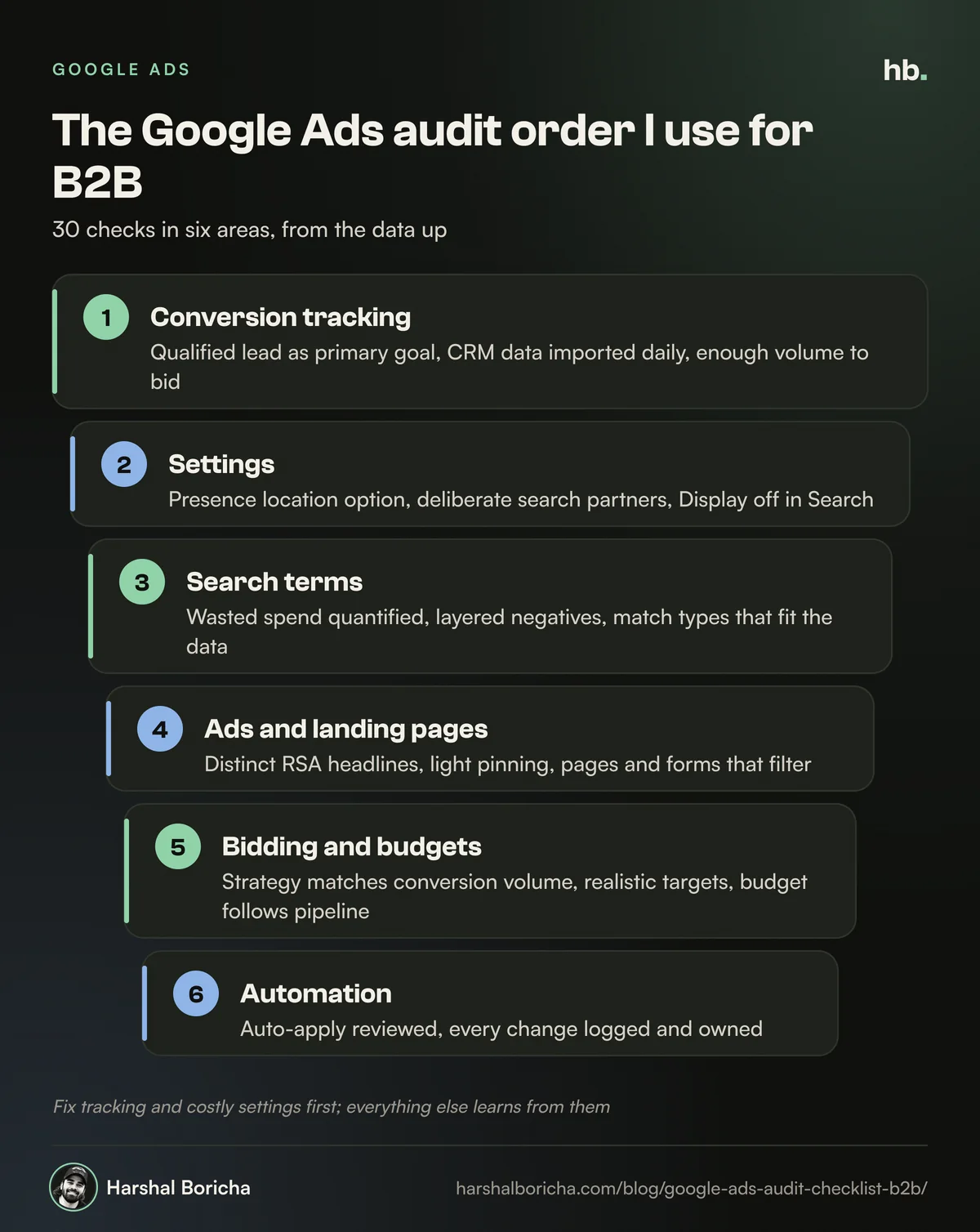
- Conversion tracking
- Account and campaign settings
- Keywords and search terms
- Ads, assets and landing pages
- Bidding and budgets
- Automation and change control
Tracking comes first because Google's bidding learns from whatever you call a conversion. If that signal is wrong, every later finding is suspect. Settings come second because a single wrong setting, such as location or network, can waste more money than every keyword problem combined. Only then does it make sense to judge keywords, ads and bids.
If you want the wider strategy behind these checks, read my guide to Google Ads for B2B first. This post is the hands-on companion.
Before you start
Gather four things before you open the account:
- At least 90 days of data. B2B volume is low, so a 30-day window is often too noisy to judge.
- A CRM export of leads from Google Ads, with their status: qualified, opportunity, won or junk. Without this, you can only audit activity, not outcomes.
- Change history access. You want to know what changed and when before you blame the algorithm.
- The business numbers: average deal value, sales cycle length and the cost per qualified lead the business can afford.
Part 1: Conversion tracking (checks 1 to 6)
- The primary conversion is a qualified lead, not a raw form fill. Google separates primary actions, which appear in the Conversions column and are used for bidding, from secondary actions, which appear only in All conversions and are not used for bidding (custom goals are the exception). Good looks like: form fills and calls as secondary, a qualified lead or later stage as primary.
- There is one lead goal, not five. Google's lead quality guidance recommends optimising to a single goal rather than several stages of the lead journey at once. Good looks like: one clear primary goal per campaign.
- Offline conversions or enhanced conversions for leads are set up. Google recommends uploading conversion data regularly, ideally daily, and suggests upgrading to enhanced conversions for leads if you use offline imports. Good looks like: qualified lead status flowing from the CRM to Google Ads every day.
- There is enough volume to bid on. Google's guidance says the action you optimise to should have at least 15 conversions in the last 30 days at account level. Good looks like: if qualified leads are fewer than that, you bid on a slightly earlier stage and still import the deeper one for reporting.
- No duplicate or inflated counting. Check for the same form tracked by both a GA4 import and a Google tag, and that lead actions count one conversion per click. Good looks like: Google Ads lead numbers roughly match the CRM, not double it.
- Spam is filtered before it becomes a conversion. Google suggests extra verification such as reCAPTCHA, double opt in or server side validation. Good looks like: junk leads marked in the CRM and never sent back as qualified.
If any of checks 1 to 4 fail, stop and fix tracking first. My guide on B2B lead tracking with GA4 and your CRM walks through the setup.
Part 2: Account and campaign settings (checks 7 to 12)
- Location option is set to Presence. Google's default and recommended option is "Presence or interest", which can show ads to people who are only interested in your location. For most Indian B2B firms serving specific cities or the domestic market, I switch to Presence. Good looks like: Presence, plus excluded locations you never serve.
- Search partners are a deliberate choice. Google added site level impression reporting for the Search Partner Network in August 2025, as Search Engine Journal covered. Good looks like: partners either off, or on with segmented results that show they produce qualified leads.
- Display Network is off in Search campaigns. Search campaigns can opt in to Display. Good looks like: off, with any display activity running in its own campaign with its own goal.
- Languages and ad schedule fit the buyer. Good looks like: English plus any regional languages your buyers actually search in, and schedules based on qualified lead data, not on guesswork about office hours.
- Campaigns are split by intent. Brand, high intent solution terms, problem terms, competitor terms and remarketing should not share a budget. Good looks like: separate campaigns, so a cheap brand campaign is not hiding an expensive non-brand one.
- Naming and structure are readable. Good looks like: someone new can tell what each campaign targets from its name, and no campaign holds unrelated ad groups.
Part 3: Keywords and search terms (checks 13 to 18)
- The search terms report has been read recently. Good looks like: terms reviewed at least weekly, with notes of what was excluded and why.
- Wasted spend on irrelevant terms is quantified. Sort search terms by cost with zero qualified leads over 90 days. As a hypothetical example, if ₹40,000 of ₹2,00,000 went to jobs, training and free tool searches, that is 20% of budget to recover. Good looks like: a small, shrinking share.
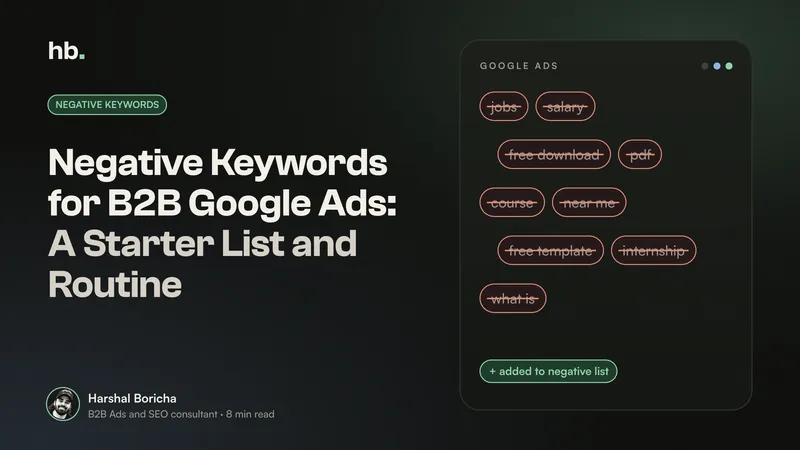
- Negative keywords are layered. Good looks like: account level negatives for terms that never fit, shared lists for themes such as jobs and education, and campaign negatives to route traffic between your own campaigns. My guide to negative keywords for B2B Google Ads has a starter list.
- Match types fit the data. Broad match works best with strong conversion signals. Good looks like: phrase and exact match until checks 1 to 4 pass, then broad match tested in a controlled way.
- No keyword cannibalisation. The same query should not be matched by several ad groups. Good looks like: each important query mapped to one ad group and landing page.
- Quality Score is used as a diagnostic. Google says Quality Score runs from 1 to 10, is built from expected click through rate, ad relevance and landing page experience, and is not an input in the ad auction. Good looks like: "below average" components investigated on high spend keywords, not chased as a score.
Part 4: Ads, assets and landing pages (checks 19 to 24)
- Responsive search ads use the space. Google allows up to 15 headlines of 30 characters and 4 descriptions of 90 characters. Good looks like: distinct headlines covering the product, the buyer, proof and the offer, not 15 versions of the same line.
- Pinning is limited. Google says pinning is not recommended for most advertisers and can affect Ad Strength. Good looks like: pins only where compliance or a must have message requires it, with two or three options per pinned slot.
- Ads qualify as well as attract. In B2B, the ad should put off the wrong people. Good looks like: mention of who it is for, such as "for manufacturers with 200+ staff", or pricing cues where relevant.
- Assets are complete. Good looks like: sitelinks, callouts, structured snippets and a call asset where phone leads matter, all current and pointing to live pages.
- Landing pages match the keyword. Good looks like: each ad group sends traffic to a page that repeats the search intent in its headline, not to the home page.
- Forms filter as well as convert. Good looks like: a work email field, one or two qualifying questions such as company size, and spam protection. Fewer, better leads beat a full CRM of noise.
Part 5: Bidding and budgets (checks 25 to 28)
- The bid strategy matches the data. Google suggests value based bidding when you can give leads different values, or target CPA on qualified leads when you cannot. Good looks like: a strategy that fits the conversion volume from check 4, not the most advanced option available.
- Targets are realistic. Good looks like: target CPA or ROAS set from the cost per qualified lead the business can afford, then adjusted gradually, not changed every few days.
- Budgets follow results. Good looks like: the campaigns producing qualified pipeline are not limited by budget while weaker campaigns spend freely.
- Brand spend is separated and checked. Good looks like: brand costs reported apart from non-brand, so a low blended cost per lead does not hide a non-brand problem.
Part 6: Automation and change control (checks 29 to 30)
- Auto-apply recommendations are reviewed. Google can automatically apply recommendations that include adding keywords and broad match keywords, expanding to search partners, display expansion and adjusting bid targets. Good looks like: auto-apply off for anything that changes targeting or bidding, with the History tab and Change History checked monthly.
- Changes are logged and owned. Good looks like: Change History shows who changed what, and big changes line up with notes explaining why, so performance swings can be traced to a cause.
How to score the audit and what to fix first
I mark each of the 30 checks as pass, partial or fail, then sort the fails in this order:
| Priority | Type of issue | Why it comes first |
|---|---|---|
| Fix this week | Tracking failures, checks 1 to 6 | Every optimisation learns from this data |
| Fix this week | Costly settings, checks 7 to 9 | They can waste budget across every campaign at once |
| Fix this month | Search terms and negatives, checks 13 to 15 | Direct, measurable waste |
| Fix this month | Bidding mismatches, checks 25 to 26 | Smart bidding chasing the wrong goal |
| Next quarter | Ads, assets, structure and naming | Real gains, but slower and smaller |
Resist the urge to fix everything at once. In a low volume B2B account, changing tracking, bidding and keywords in the same week makes it impossible to tell what worked.
How often to run this audit
I run all 30 checks when I take over an account and then every quarter. Between audits, a short weekly routine covers the checks that drift fastest: search terms, budgets, new auto-applied recommendations and lead quality notes from sales.
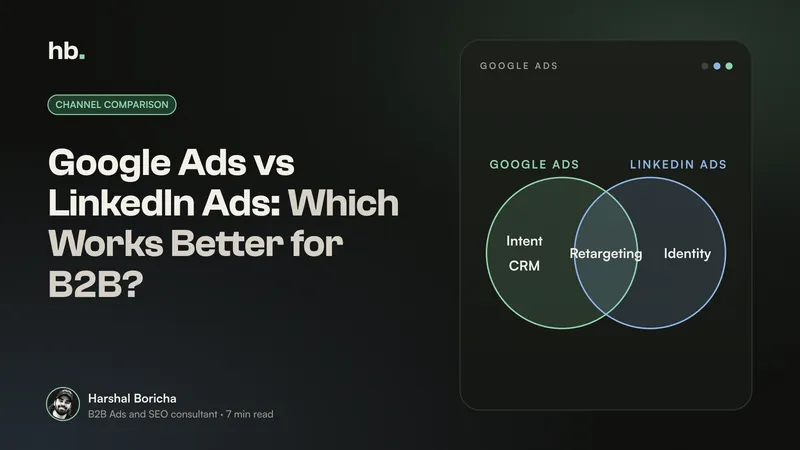
Google Ads is also rarely the only channel. If LinkedIn is part of your mix, run a similar audit there; my guide to Google Ads vs LinkedIn Ads for B2B explains how the two should work together, and LinkedIn Thought Leader Ads covers one format that pairs well with search.
When an outside audit is worth it
You can run this checklist yourself. An outside audit earns its fee when the people running the account built the setup being audited, when spend is large enough that a few per cent of waste is real money, or when sales and marketing disagree about lead quality and you need a neutral view.
That audit is usually where my B2B Google Ads management work begins. I also look at how paid search fits with LinkedIn Ads, organic B2B SEO and AI search optimisation, because a keyword you rank well for organically may not need the same paid budget. If you want me to run the checklist on your account, book a call.
The short version
- Run your Google Ads audit checklist in order: tracking, settings, search terms, ads and pages, bidding, automation.
- Make a qualified lead the primary conversion, import CRM outcomes daily, and check you have enough volume to bid on.
- Switch location to Presence, make search partners and Display deliberate choices, and split campaigns by intent.
- Quantify wasted search term spend in rupees, layer negatives, and use Quality Score as a diagnostic only.
- Review auto-apply recommendations and log every change, so you can explain every swing in performance.
Frequently asked questions
What should a Google Ads audit include?
A useful audit covers six areas in this order: conversion tracking, account and campaign settings, keywords and search terms, ads and landing pages, bidding and budgets, and automation. Tracking comes first because every other judgement depends on it. If the account counts junk form fills as conversions, the bidding, keyword and ad decisions built on that data are wrong too.
How often should I audit a B2B Google Ads account?
I run a full audit when I take over an account, then a lighter version every quarter. Search terms, budgets and recommendations need a weekly look in between. B2B accounts change slowly because volume is low, so a quarterly deep check catches drift without reacting to noise.
How long does a Google Ads audit take?
For a typical B2B account with a handful of Search campaigns, expect most of a working day if you do it properly, including time to pull CRM data and read the search terms report. Larger accounts with Performance Max, many regions or several products take longer. Speed matters less than following the order, so you do not optimise on bad data.
Is Quality Score important in a Google Ads audit?
It is useful as a diagnostic, not a target. Google describes Quality Score as a diagnostic tool and says it is not an input in the ad auction. I look at its three parts, expected click through rate, ad relevance and landing page experience, to find keywords where the ad or page does not match the search, then fix that mismatch.
Can I audit my own Google Ads account?
Yes, and this checklist is written so you can. The hard part is honesty: owners and agencies tend to skip the checks that would show their own setup is weak. If you want a second pair of eyes, a short external audit is often cheaper than one more month of spend on a leaking account.
Sources
- Best practices for generating high-quality leads (Google Ads Help)
- About primary and secondary conversion actions (Google Ads Help)
- About advanced location options (Google Ads Help)
- About Quality Score for Search campaigns (Google Ads Help)
- About responsive search ads (Google Ads Help)
- About applying recommendations automatically (Google Ads Help)
- Google quietly announces Search Partner Network placement visibility (Search Engine Journal)

B2B Ads and SEO consultant in Mumbai. 15+ years of experience, nine in performance marketing, working only with B2B teams. More about me.
Want help with Google Ads?
B2B Google Ads management by Harshal Boricha. Search and Performance Max built around buying intent, qualified leads and pipeline, not cheap clicks.